The built-in Administrator account is one of the most targeted account names by malicious programs and hackers that are attempting to access your computer without. How to Reduce Shadow Copy on Windows Vista. Shadow Copy, or Volume Snapshot Device is an application interdependent with System Restore that is unique to Windows. Creating an Installation Program for Windows Vista and Windows 7 Windows Vista and Windows 7 - a new generation of OS from Microsoft Windows Vista, that was. How to Reset a Windows XP or Vista Password. If you've forgotten your user password for Windows XP or Vista, you can use the hidden Administrator account to reset.

How to Reduce Shadow Copy on Windows Vista: 9 Steps. Click Start> Computer and on Local Disk (C: ) you'll see the available disk space you have left on the hard drive of your Windows Vista desktop/notebook computer. Command Prompt will show the allocated space towards Shadow Copy.
This can be reduced to allow more free hard drive space.


Ways to Reset a Windows XP or Vista Password. Find a Windows Vista installation or recovery disc. In order to perform this method, you will need to enter the Recovery Console, which can only be accessed with a Windows Vista installation or recovery disc.
The installation disc doesn't need to be the one you use to install your operating system, but it does need to be for the same version of Windows. Insert the installation disc into your computer. Restart your computer.
Enter your BIOS setup. When the POST screen (the screen that appears before the loading bar shows up and usually displays the computer manufacturer's logo) appears, press the button indicated by it to enter your BIOS setup. This will start the Setup program. This is located in the bottom- left corner of the Install Windows screen. After clicking, wait a few moments while the Setup program locates your Windows installation.
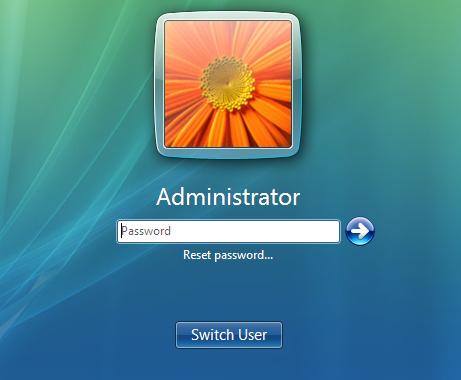


Microsoft Windows, or simply Windows, is a metafamily of graphical operating systems developed, marketed, and sold by Microsoft. It consists of several families of.
Make a note of which drive Windows is installed on. This is typically the C: drive, but it may be on the D: drive. Press Enter. Press Enter. Allow Windows to reboot as it normally would. Instead of opening the Accessibility options, the Command Prompt will open.
Press Enter. Replace username with the user you want to change, and newpassword with the new password. As soon as you run the command, your new password will be ready to go.
You can use it to log in immediately. Once you are back into Windows, you can create a password recovery disk so that you can avoid problems like this in the future. Using the disk will allow you to quickly retrieve your lost password.
See this guide for detailed steps on creating and using the disk.


/http%3A%2F%2Falbums.photoonweb.com%2Fphil%2Fforum_dma_vista%2Fdevmgr2.png)
/http%3A%2F%2Fxpdrivers.com%2Fresources%2Fsound_card_1.jpg)
/http%3A%2F%2Fimg10.deviantart.net%2F9018%2Fi%2F2011%2F180%2Fb%2F7%2Fadd_gpedit_msc_by_jwils876-d3kh6vm.jpg)
/http%3A%2F%2Fthewindowsclub.thewindowsclubco.netdna-cdn.com%2Fwp-content%2Fuploads%2F2010%2F06%2Fwindows-7-folder-with-background.png)